Automated Seating

Automated Seating

Automated Seating is a seating management platform designed to help users organize seating arrangements, manage guest assignments, and simplify event coordination through an operational dashboard system. The project involved redesigning both the landing page and the internal dashboard experience to create a clearer, more scalable, and visually engaging product ecosystem.

Automated Seating is a seating management platform designed to help users organize seating arrangements, manage guest assignments, and simplify event coordination through an operational dashboard system. The project involved redesigning both the landing page and the internal dashboard experience to create a clearer, more scalable, and visually engaging product ecosystem.

Role

UX Designer

Employer

Automated

Seating

Platform

Marketing Website + Web Dashboard

Industry

Event Planning / Seating Management / SaaS

About the Product

The platform supports:

  • Seating allocation

  • Guest management

  • Event organization

  • Seating visualization

  • Operational coordination


The product serves multiple audience types, including:

  • Wedding planners

  • Event organizers

  • Corporate clients


This created an important UX challenge: designing a platform that felt visually refined and approachable for creative industries while maintaining enough professionalism for enterprise and corporate users.

The redesign focused on improving clarity, usability, and overall product perception while supporting both creative and professional audiences.

Problem Space

The original landing page lacked visual engagement and did not effectively communicate the product’s value or capabilities.


Some of the key issues included:

  • Plain visual presentation

  • Weak information hierarchy

  • Low perceived product value

  • Limited emotional engagement

  • Lack of conversion-focused storytelling


The dashboard also faced usability challenges:

  • Dense workflows

  • Limited visual consistency

  • Feature-heavy interfaces

  • Difficult navigation patterns

  • Poor scalability across devices

User Groups

The platform was designed to support a range of users responsible for planning and managing seating arrangements, each with different priorities, constraints, and workflows.

Wedding Planners

Focused on creating personalised, meaningful seating experiences, wedding planners need to balance guest relationships, preferences, and sensitivities. The platform helps them quickly generate and adjust seating arrangements while preserving the emotional and social nuances of events.

“Seating isn’t just logistics, it’s about relationships, dynamics, and making sure everyone feels comfortable.”

Event Organisers

Managing a variety of events, organisers require efficiency and flexibility. Their focus is on handling large guest lists, last‑minute changes, and multiple constraints. The platform supports them by enabling fast iterations and scalable planning.

“Things change constantly, I need to be able to update seating quickly without starting over.”

Corporate Clients

For corporate events, seating is often tied to structure, hierarchy, and objectives such as networking or collaboration. These users value clarity, organisation, and the ability to align seating with professional goals and event outcomes.

“Seating needs to reflect roles and purpose, who sits where can shape how the event plays out.”

Product Goals

1. Modernize the Product Experience

Create a more visually engaging and professional interface system.

2. Improve Dashboard Usability

Streamline workflows and simplify seating management interactions.

3. Support Multiple Audience Types

Balance aesthetics and professionalism to appeal to both wedding planners and corporate clients.

5. Improve Responsiveness

Ensure workflows remained usable and intuitive across desktop and mobile devices.

Research & Discovery

The redesign process focused on understanding both user expectations and operational workflows.

Stakeholder Workshops

Collaborated with the client to identify usability pain points, business priorities, and audience expectations.

Workflow Analysis

Reviewed existing seating management workflows and dashboard interactions to identify friction points.

Audience Positioning Analysis

Focused on balancing two distinct audience profiles: creative users (wedding planners) and professional/corporate users

Stakeholder Workshops

Collaborated with the client to identify usability pain points, business priorities, and audience expectations.

Workflow Analysis

Reviewed existing seating management workflows and dashboard interactions to identify friction points.

Audience Positioning Analysis

Focused on balancing two distinct audience profiles: creative users (wedding planners) and professional/corporate users

Key Insights

Insight #1: Visual Perception Strongly Influenced Product Trust

The original interface felt too plain and operational, limiting emotional engagement and reducing perceived product value.

What the redesign achieved:

  • Stronger visual identity

  • More polished presentation

  • Better storytelling

  • Higher perceived professionalism

Insight #2: Different User Types Required Different Interaction Depths

Some users preferred detailed operational control, while others needed faster, more lightweight editing experiences.

This insight directly influenced the decision to create:

  • A detailed table-based dashboard

  • A simplified drag-and-drop interface
Insight #3: Operational Complexity Needed Better Organization

The dashboard contained large amounts of operational information that needed clearer hierarchy and better grouping systems.
Core Features and Navigations

Add Guest

Flexible guest creation flow supporting both CSV imports and manual entry, allowing users to efficiently manage guest information including names, groups, labels, and seating assignments at any event scale.

Edit Event

Centralized event management workflow where users can configure event name, description, date, guest count, and table allocation in one structured experience designed to simplify setup and reduce repetitive administrative tasks.

Filter Events

Advanced filtering system that helps users quickly navigate large guest lists by assignment status, groups, and labels, improving operational visibility and reducing cognitive overload during seating management.

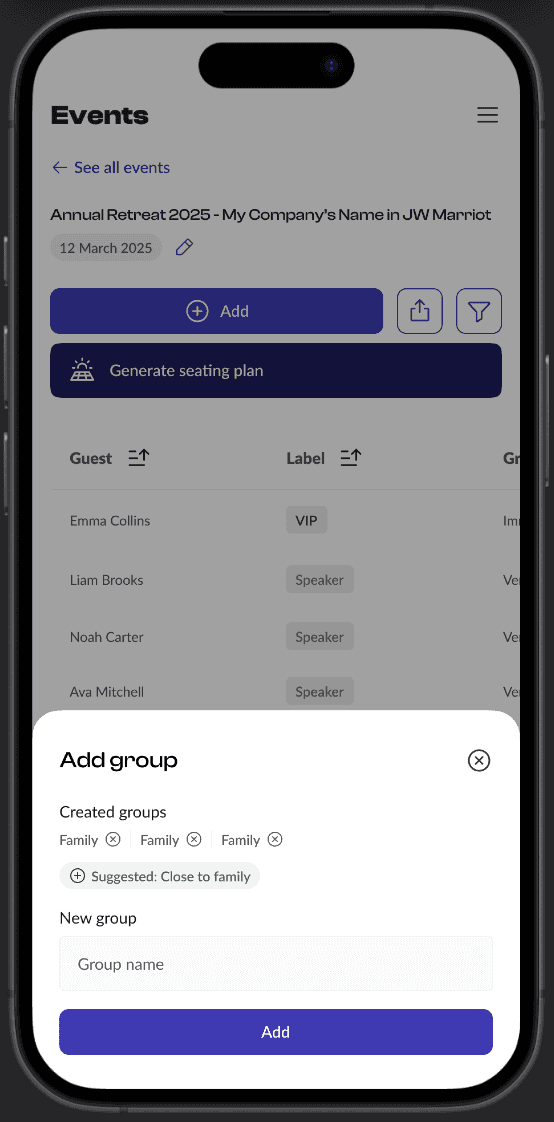
Add Group

Dynamic grouping workflow where users can select existing groups, use intelligent suggestions, or create entirely new groups without interrupting the current management flow, improving organization and scalability.

Add Label

Reusable labeling system designed to support scalable guest categorization through existing labels, smart suggestions, or custom label creation for improved filtering and operational control.

Edit Guest

Editable guest management experience with pre-filled fields that allows users to quickly update guest information, assignments, groups, and labels while maintaining workflow continuity and reducing repetitive input effort.

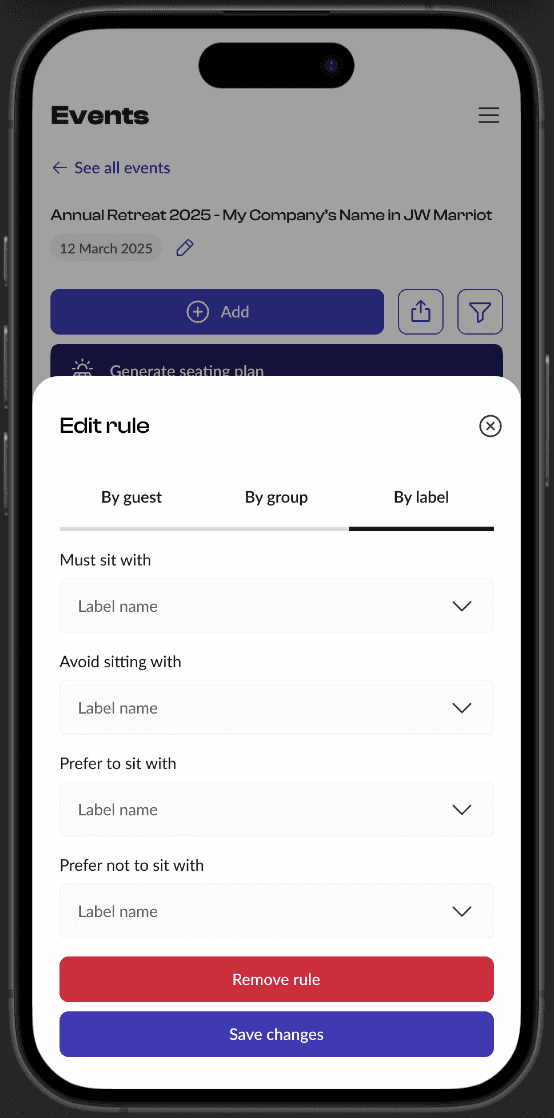
Set Rules

Constraint-based seating logic system that powers AI-generated seating arrangements by allowing users to define guest relationships such as must sit with, avoid sitting with, prefer to sit with, or prefer not to sit with, improving automation accuracy and reducing manual conflict resolution.

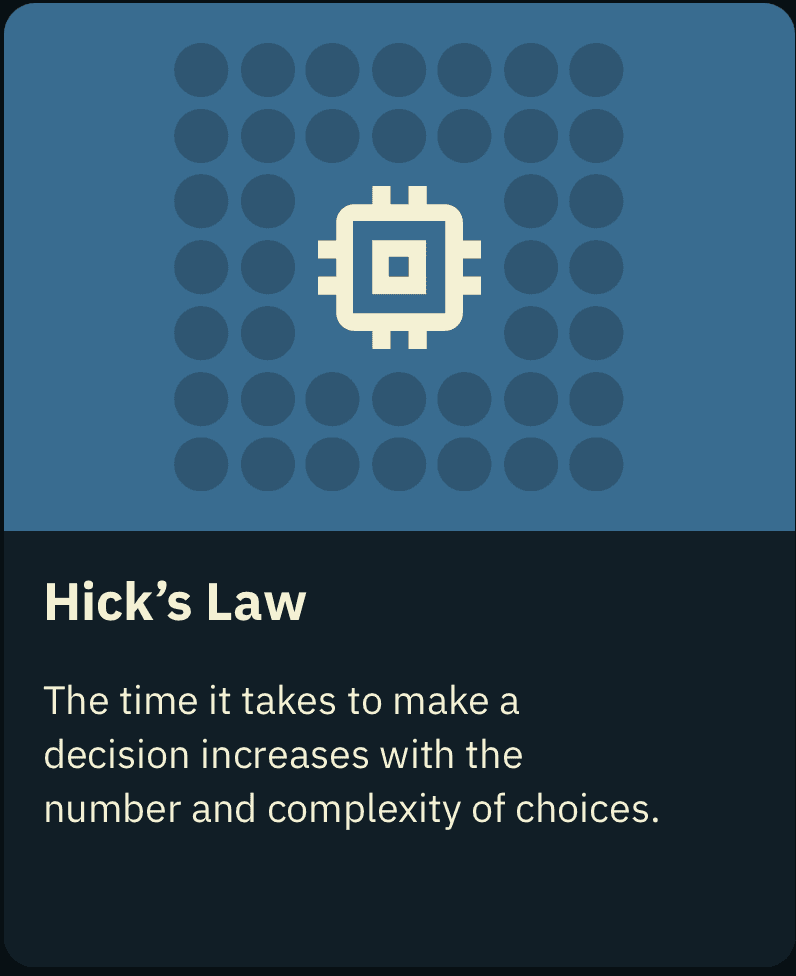
Hick’s Law — Reducing Cognitive Overload


To reduce decision fatigue and simplify task completion, the redesigned experience focused on:

  • Prioritizing high-frequency actions

  • Grouping related information

  • Progressive disclosure

  • Simplified navigation structures

  • Reducing unnecessary visual noise

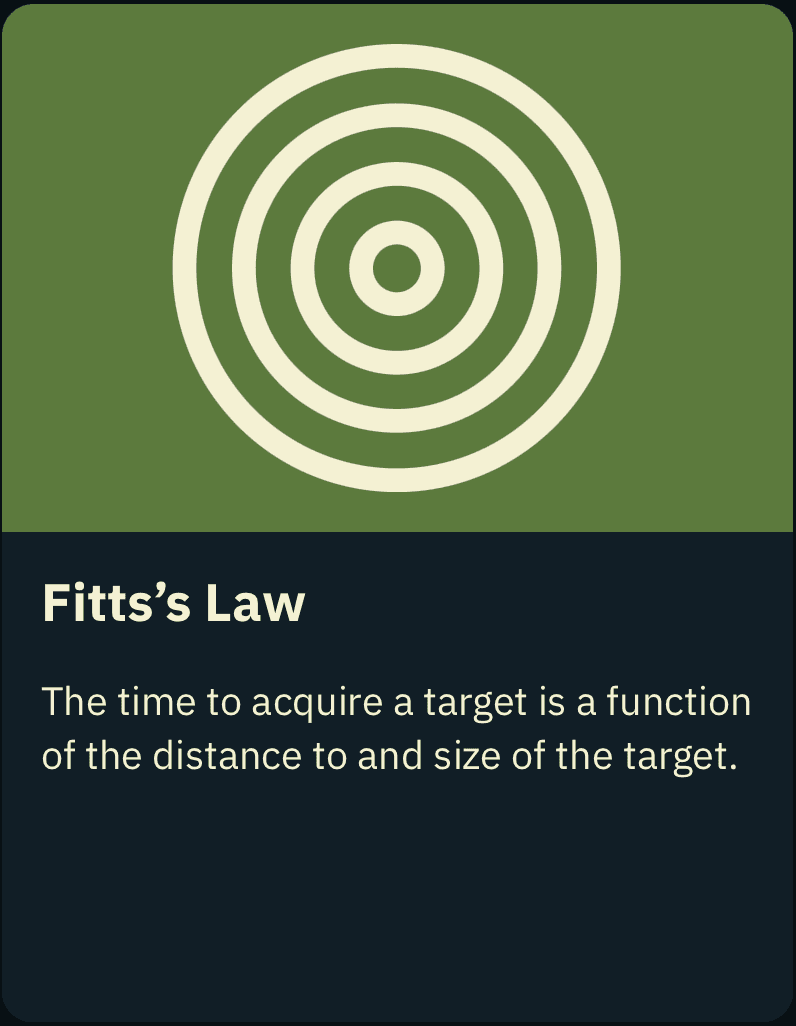
Fitts’s Law — Optimizing High-Frequency Interactions


Interactive elements were designed to reduce friction through:

  • Larger click targets

  • Predictable interaction zones

  • Clear action placement

  • Reduced cursor travel distance

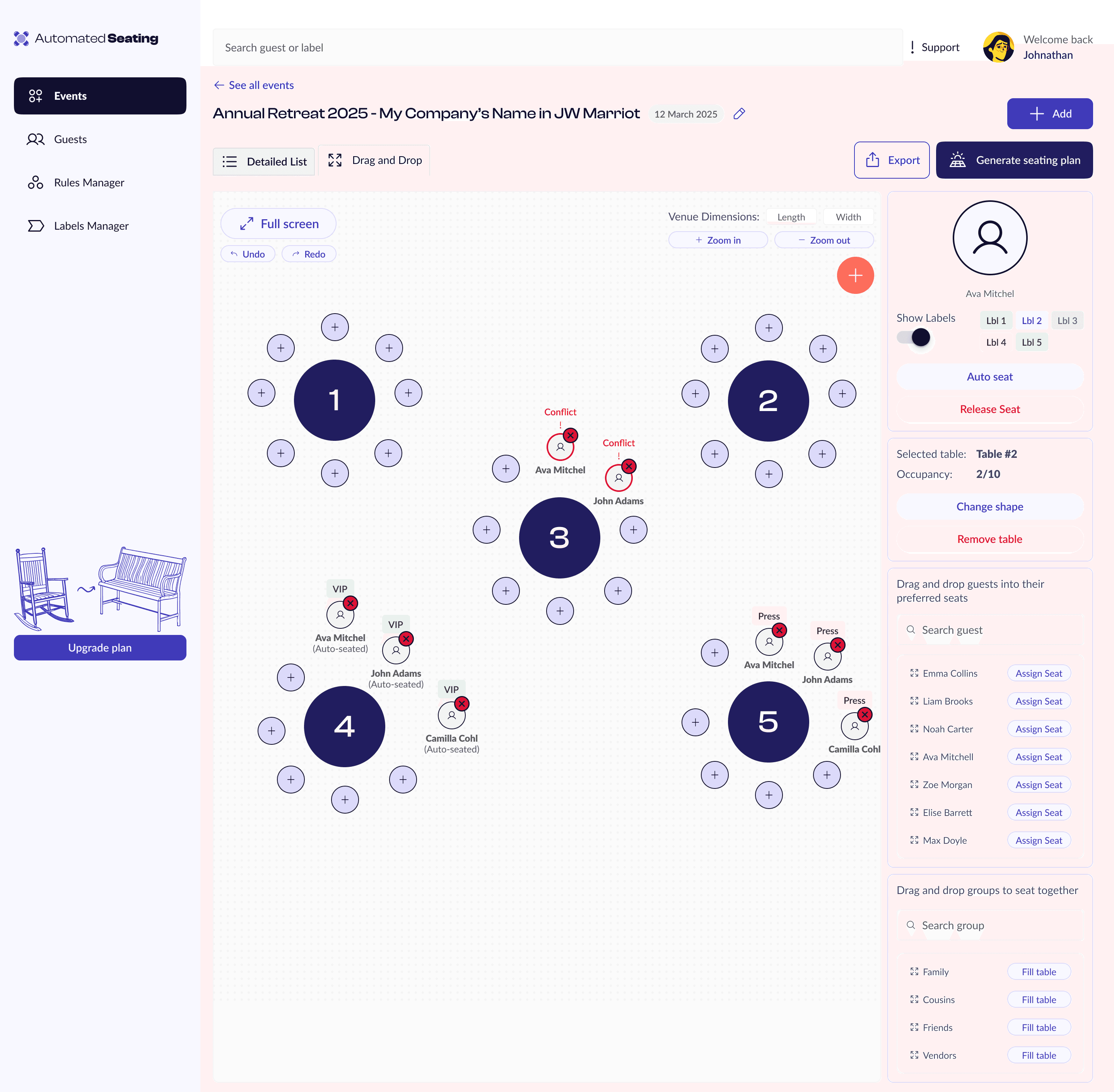
Interactive Seating Canvas

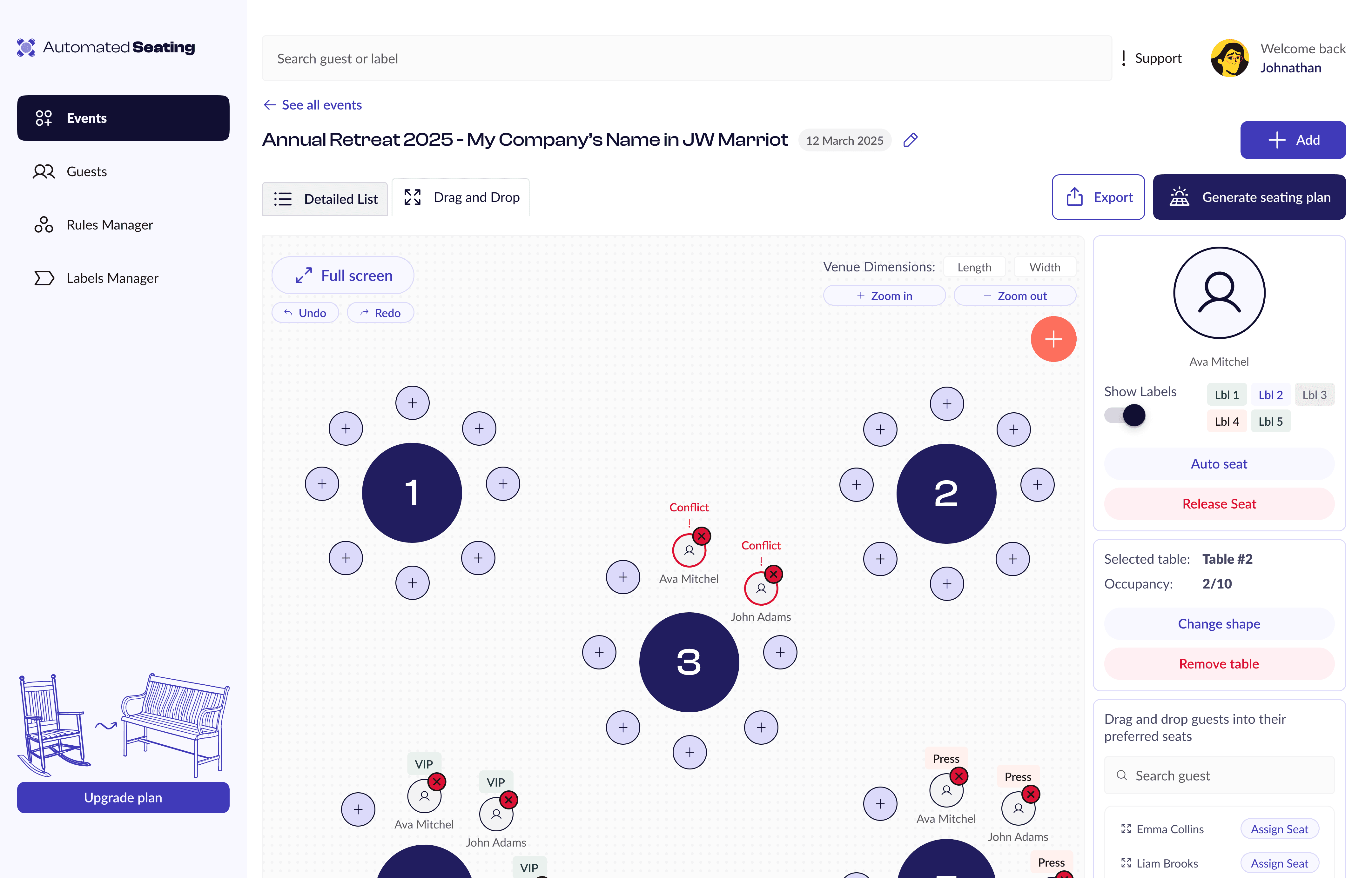
Drag-and-drop seating workspace that allows users to visually arrange tables based on their preferred floor plan layout, creating a more intuitive and spatial event planning experience compared to traditional table-based management.

Constraint Conflict Detection

Real-time conflict indicators highlight seating issues directly on tables whenever guest constraints or relationship rules are violated, helping users identify and resolve problems faster during arrangement planning.

Guest Profile Cards

Guest cards provide quick operational context including assigned labels, group associations, and a one-click “Auto Seat” action to speed up seating workflows and reduce manual placement effort.

Table Occupancy Visibility

Selected table states display live occupancy information, helping users quickly understand seating capacity, guest distribution, and remaining availability during event organization.

Flexible Table Customization

Users can dynamically switch between circular, rectangular, and square table layouts, allowing the seating experience to adapt to different venue setups and event types.

Guest Drag-and-Drop Management

Dedicated guest list panel allows users to drag individual guests directly onto the seating map, creating a faster and more tactile assignment workflow.

Group-Based Seating Placement

Group management panel enables users to drag entire guest groups onto tables together, simplifying coordinated seating arrangements and improving workflow efficiency for large-scale events.

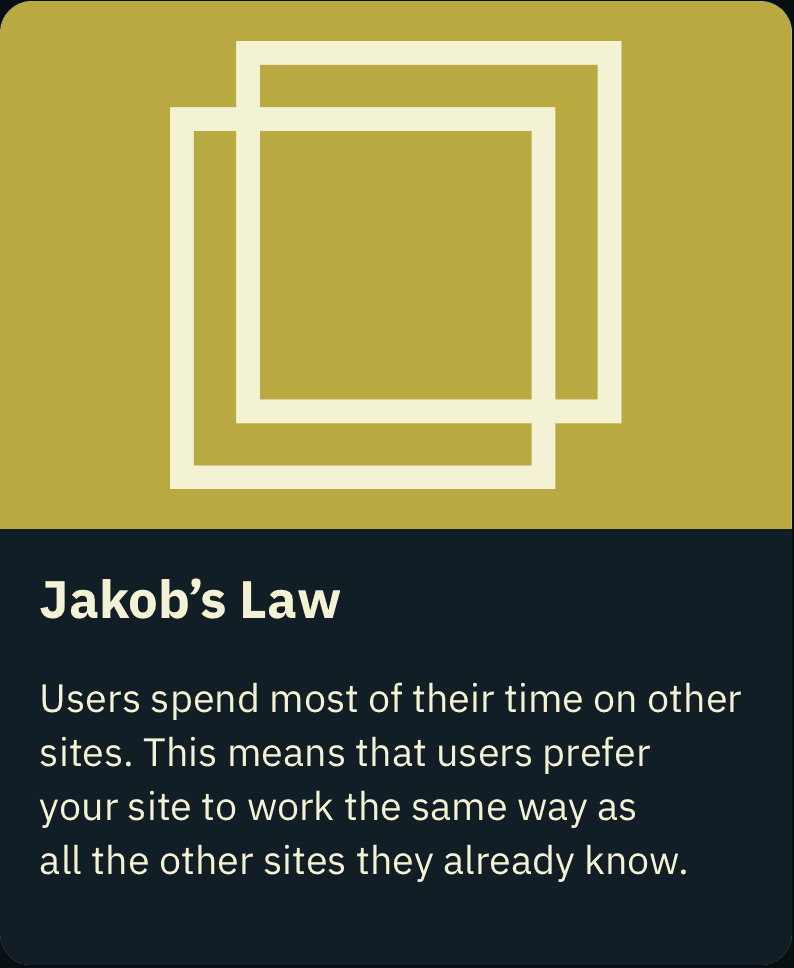
Jakob’s Law — Leveraging Familiar Patterns


Since the platform handles operational workflows and high-density data, users benefit from interfaces that feel immediately familiar.

The dashboard adopted recognizable SaaS interaction patterns such as:

  • Structured table systems

  • Sidebar navigation

  • Filter panels

  • Search interactions

  • Standardized dashboard layouts

Using familiar patterns reduced the learning curve and allowed users to focus on completing tasks instead of learning new interface behaviors.

Tesler’s Law — Managing Complexity Instead of Removing It


Seating management is naturally complex, especially for large-scale events and corporate workflows.

Instead of oversimplifying functionality, the redesign focused on organizing complexity in a more manageable way through:

  • Better hierarchy

  • Modular workflows

  • Structured information grouping

  • Dedicated dashboard experiences

  • Clear interaction pathways

This directly influenced the decision to separate the platform into:

  • A detailed operational table view

  • A simplified drag-and-drop interface

Key Takeaways

Alignment through continuous collaboration


With the client acting as the sole source of truth (user, stakeholder, and developer), the process relied heavily on ongoing conversations. This resulted in a highly collaborative workflow, where ideas were shaped in real time and refined through iteration.

Designing within uncertainty and limited validation


Working without multiple data sources highlighted the challenges of validating assumptions. This pushed me to ask more critical questions, challenge inputs constructively, and ensure decisions were still grounded in clarity and usability

Flexible design to support an evolving product


As the product direction was still forming, the design needed to remain adaptable and open‑ended, allowing the client to iterate further without being constrained by rigid structures.

Clearer articulation of value through design


The final design helped translate the client’s vision into something communicable and presentable, making it easier to explain the product to others, whether for development, pitching, or further expansion.

User Groups

The platform was designed to support a range of users responsible for planning and managing seating arrangements, each with different priorities, constraints, and workflows.

Wedding Planners

Focused on creating personalised, meaningful seating experiences, wedding planners need to balance guest relationships, preferences, and sensitivities. The platform helps them quickly generate and adjust seating arrangements while preserving the emotional and social nuances of events.

“Seating isn’t just logistics, it’s about relationships, dynamics, and making sure everyone feels comfortable.”

Event Organisers

Managing a variety of events, organisers require efficiency and flexibility. Their focus is on handling large guest lists, last‑minute changes, and multiple constraints. The platform supports them by enabling fast iterations and scalable planning.

“Things change constantly, I need to be able to update seating quickly without starting over.”

Corporate Clients

For corporate events, seating is often tied to structure, hierarchy, and objectives such as networking or collaboration. These users value clarity, organisation, and the ability to align seating with professional goals and event outcomes.

“Seating needs to reflect roles and purpose, who sits where can shape how the event plays out.”

Core Features and Navigations

Get in

Touch!

Back to Top

Get in

Touch!

Create a free website with Framer, the website builder loved by startups, designers and agencies.